Flow Reference
Overview
Flows are YAML-based workflow definitions that describe automated pipelines for ROS bag processing, data analysis and more.
Flow Structure at a Glance
id: my-flow                           # Unique identifier
namespace: my-team                    # Organizational scope
description: What this flow does      # Human-readable description

inputs:                               # Parameters users provide at runtime
  - id: dataset_name
    type: STRING
    required: true

variables:                            # Environment variables available to all tasks
  OUTPUT_DIR: /data/results

tasks:                                # Sequential list of work to perform
  - id: step-1
    type: dev.bringup.plugin.core.shell.Shell
    commands:
      - echo "Processing {{ inputs.dataset_name }}"

outputs:                              # Values exposed after flow completion
  - id: result_path
    type: STRING
    value: "{{ task_outputs.step-1.path }}"
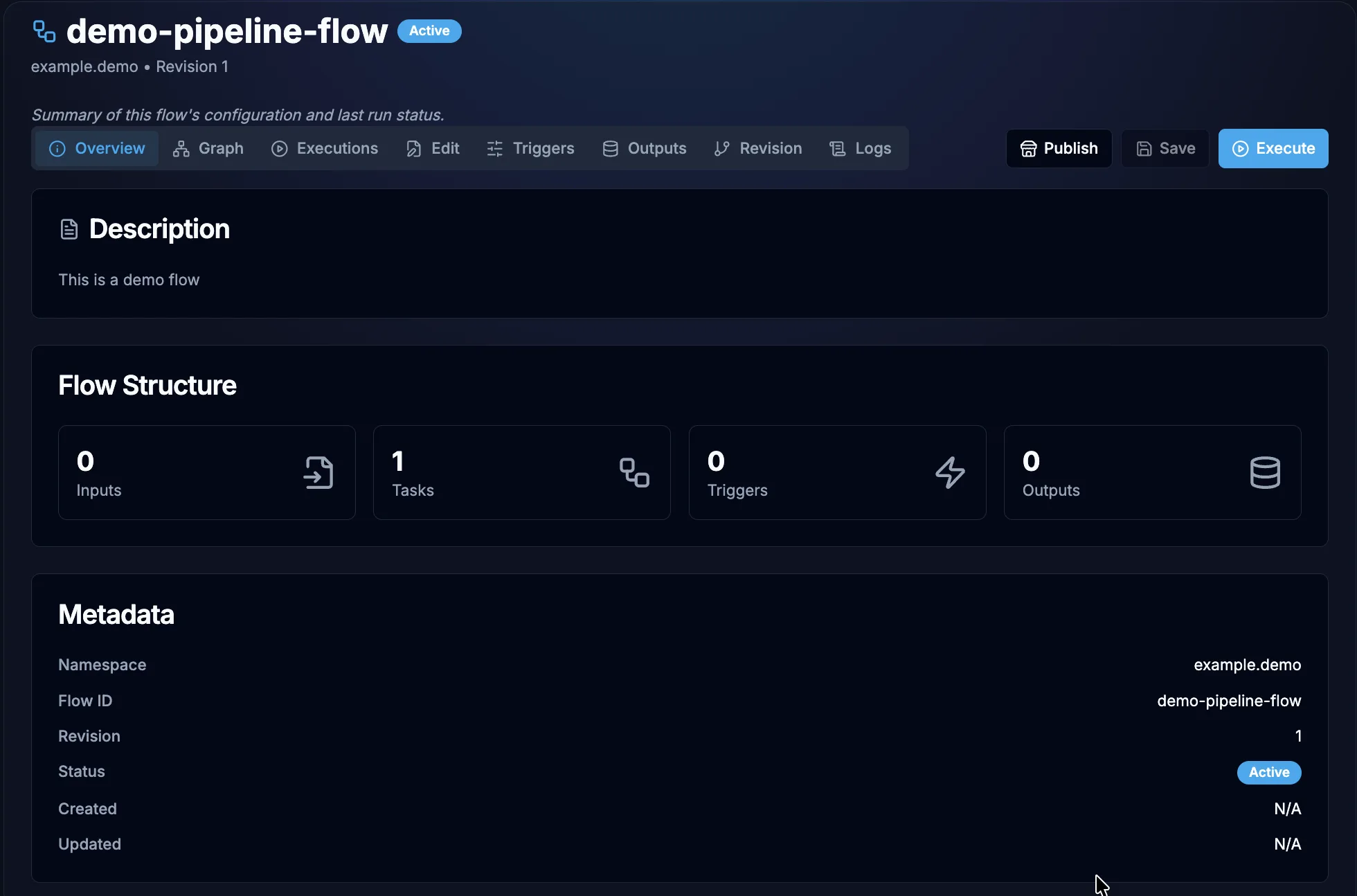
Once saved, a flow's Overview tab summarises that same structure — its inputs, tasks, triggers, and outputs — alongside its namespace, revision, and status. The Edit tab is where the YAML itself is authored, and Execute runs the flow.
Documentation Index
Task Plugins
Each plugin defines a task type you can use in your flow's tasks list.
| Plugin | Task Type | Description |
|---|---|---|
| Shell | dev.bringup.plugin.core.shell.Shell | Execute shell commands and scripts |
| Python Script | dev.bringup.plugin.scripts.python.Script | Run Python code with dependency management |
| Docker Run | dev.bringup.plugin.docker.run | Run containers with full Docker configuration |
| ROS Bag Loader | dev.bringup.plugin.core.rosbag.LoadById | Download ROS bag files via JIT manifest |
| HTTP Request | dev.bringup.plugin.core.http.Request | Make HTTP/REST API calls |
| Log | dev.bringup.plugin.core.log.Log | Echo messages with template variable support |
| Subflow | dev.bringup.plugin.core.flow.Subflow | Compose flows by calling other flows as tasks |
Guides
| Guide | Description |
|---|---|
| Flow Creation Guide | Step-by-step guide to creating your first flow |
| Inputs Reference | All 13 input types with validation rules |
| Advanced Features | Retry, concurrency, checks, triggers, and more |
Quick Start
1. Create a minimal flow
id: hello-world
namespace: quickstart
description: My first Bringup flow

inputs:
  - id: name
    type: STRING
    defaults: World

tasks:
  - id: greet
    type: dev.bringup.plugin.core.shell.Shell
    commands:
      - echo "Hello, {{ inputs.name }}!"
Template Expressions
Flows use Pebble-style template expressions throughout flow definitions:
| Expression | Resolves To | Example |
|---|---|---|
{{ inputs.<id> }} | Input parameter value | {{ inputs.user_name }} |
{{ variables.<key> }} | Flow variable | {{ variables.OUTPUT_DIR }} |
{{ task_outputs.<task_id>.<key> }} | Output from a previous task | {{ task_outputs.calculate.result }} |
During transpilation, these are converted to shell environment variables:
{{ inputs.user_name }}becomes${USER_NAME}{{ variables.dataset_path }}becomes${DATASET_PATH}
Versioning
Every time a flow is updated via UI (yaml editor), a new revision is created. Previous revisions are preserved and can be retrieved by specifying the revision parameter when fetching flow details.
The latest revision is returned by default when no revision parameter is specified.